Random Password Generator
Create a strong and secure password instantly
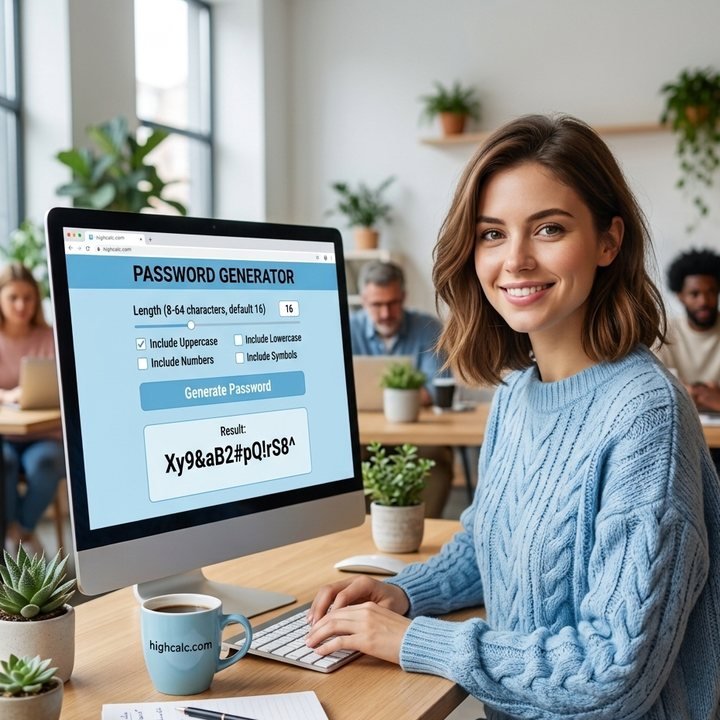
Password Generator: Create Strong, Random Passwords Instantly
A password is a combination of letters, numbers, and symbols used to secure accounts and prevent unauthorized access. In today’s digital world, strong passwords are essential for protecting personal and sensitive information. A secure password is unpredictable, sufficiently long, and includes a mix of character types.
The Password Generator on this website helps you create strong and random passwords instantly. You can customize the length, include or exclude certain characters, avoid repeats, avoid look-alike characters such as l, 1, O and 0, and even exclude brackets for clarity. The generator also calculates password strength, entropy and an estimated cracking time, helping you understand how secure your password is.
All passwords are generated locally in your browser using your device’s secure random number generator, ensuring your privacy. Nothing is sent over the Internet, and nothing is stored.
Quick answer: a 16-character password that uses lowercase, uppercase, numbers and symbols has 103 bits of entropy. At 10 billion guesses a second, an attacker would need more than a billion years to crack it. Set your own length and options above and click Generate Password.
Password Strength
Password strength measures how resistant a password is to guessing or brute-force attacks. Longer and more complex passwords are harder to crack. The generator shows a strength bar with color indicators, from red for very weak to green for very strong, so you can choose a strong password at a glance.
| Strength | Entropy | What it means |
|---|---|---|
| Very Weak | Under 28 bits | Can be guessed almost instantly |
| Weak | 28 – 35 bits | Fine only for throwaway uses |
| Fair | 36 – 59 bits | Reasonable against casual guessing |
| Strong | 60 – 79 bits | Good for most accounts |
| Very Strong | 80 bits or more | Best for email, banking and password managers |
Password Entropy
Entropy indicates the unpredictability of a password. Higher entropy means a password is harder to guess. It is measured in bits, and each extra bit doubles the number of guesses an attacker needs. Using varied characters and sufficient length increases entropy and security. The formula is simple, where L is the password length and N is the number of possible characters:
This table shows how length and character types change the entropy. Notice that going from 8 to 16 characters adds far more strength than adding symbols to a short password:
| Length | Lowercase only (26) | Letters and numbers (62) | All four types (88) |
|---|---|---|---|
| 8 characters | 38 bits | 48 bits | 52 bits |
| 12 characters | 56 bits | 71 bits | 78 bits |
| 16 characters | 75 bits | 95 bits | 103 bits |
| 20 characters | 94 bits | 119 bits | 129 bits |
Turning on “No repeating characters” slightly lowers the entropy for the same length, and the generator accounts for this in the number it shows. If you want to learn what bits are, the binary calculator explains how binary numbers work.
Tips for Strong Passwords
Use a mix of lowercase, uppercase, numbers, and symbols, and make the password at least 12 characters long. Avoid personal information such as names or birthdays. Don’t reuse passwords across multiple accounts, because one data breach could expose them all. Change passwords if you suspect they have been exposed, and use a password manager for convenience so you never have to remember each one. For important accounts, add two-factor authentication as well.
About the Cracking Time Estimate
The cracking time is a simple estimate of how long it would take to guess the password in an offline attack, assuming 10 billion guesses a second and that on average the attacker finds it halfway through. Real attacks depend on how the website stores passwords, so the figure is a guide for comparing passwords and not a guarantee.
Who Uses a Password Generator?
Anyone creating a new online account, people updating weak or reused passwords, IT teams setting up user accounts, small business owners protecting shared tools, parents setting up family accounts, and anyone who wants a long, random password without having to invent one.
How to Use This Password Generator
Choose the length
Type a length or move the slider. Use at least 12 characters, and 16 or more for important accounts.
Pick the character types
Select lowercase, uppercase, numbers and symbols.
Set the options
Include every type, avoid look-alike characters, exclude brackets, or turn off repeating characters.
Click "Generate Password"
Create one, five or ten passwords. A new one is made every time you change an option.
Copy your password
Click Copy next to a password, or Copy all. Use Hide if someone might be looking at your screen.